
- Working prototype
- Scaffolding inventory
- Photo-assisted counting
Layher StockCounterTurn material photos into a count your team can review.
Photograph the material. Review the count. Keep the record.
From a photograph of scaffolding parts to a reviewed inventory record. ReApptor developed a Layher prototype that connects material photos, suggested quantities, storage locations and operator checks.
- English (English)
- Svenska (Swedish)
ReApptor can build multilingual workflows for teams and customers working across markets!
Case overview
Business problem
Keep the material and its count connected
A scaffolding depot handles many similar-looking parts: standards, ledgers, frames, braces and small fittings. During a return or a stock check, the operator needs to establish which material is present and keep the count connected to its location. A photograph provides a useful visual reference, but it still needs categories, a reason for the check and a record that can be reviewed. Layher StockCounter explores this workflow in a working prototype, with the warehouse operator making the final decision before saving.
A practical path from photograph to inventory
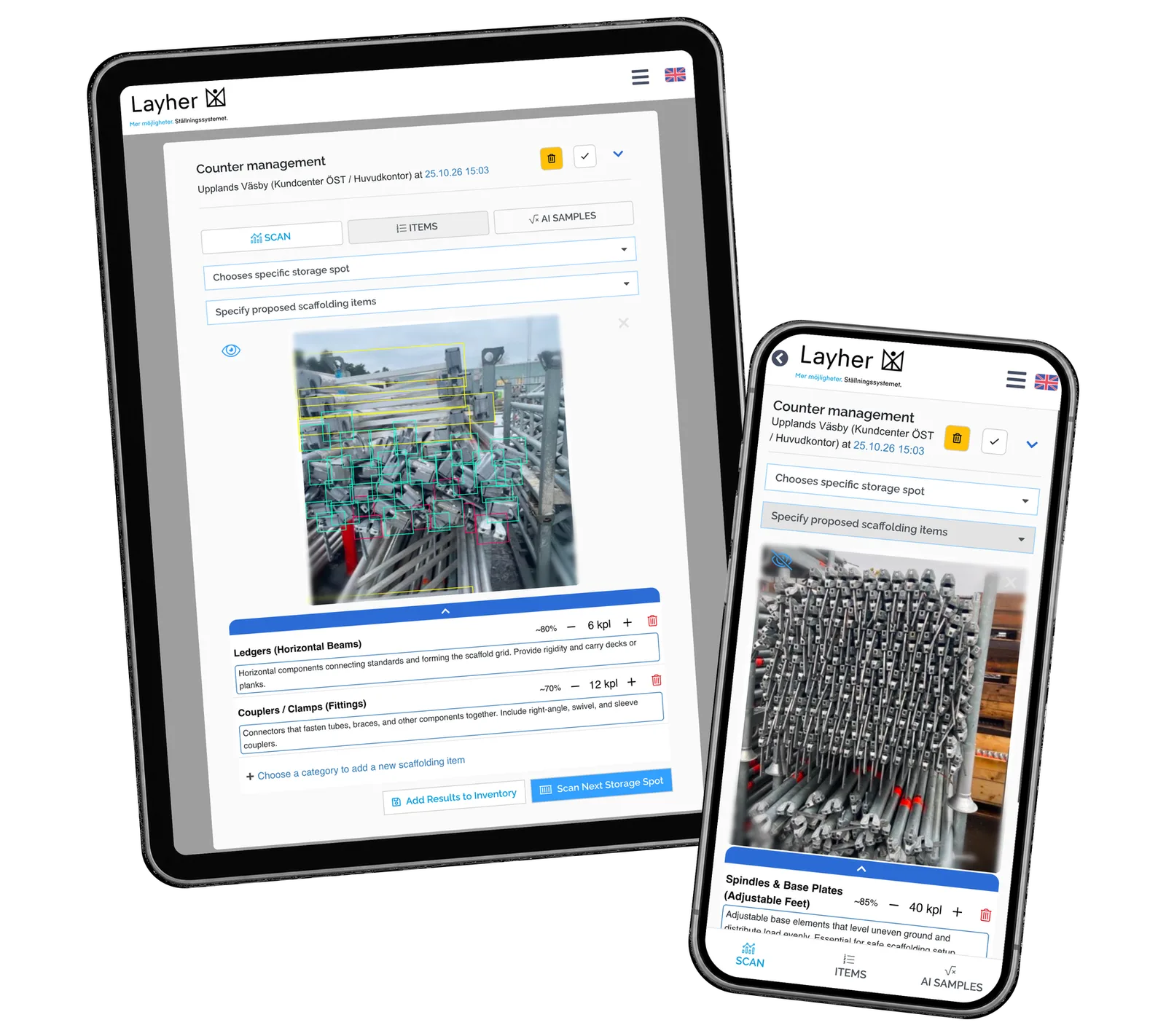
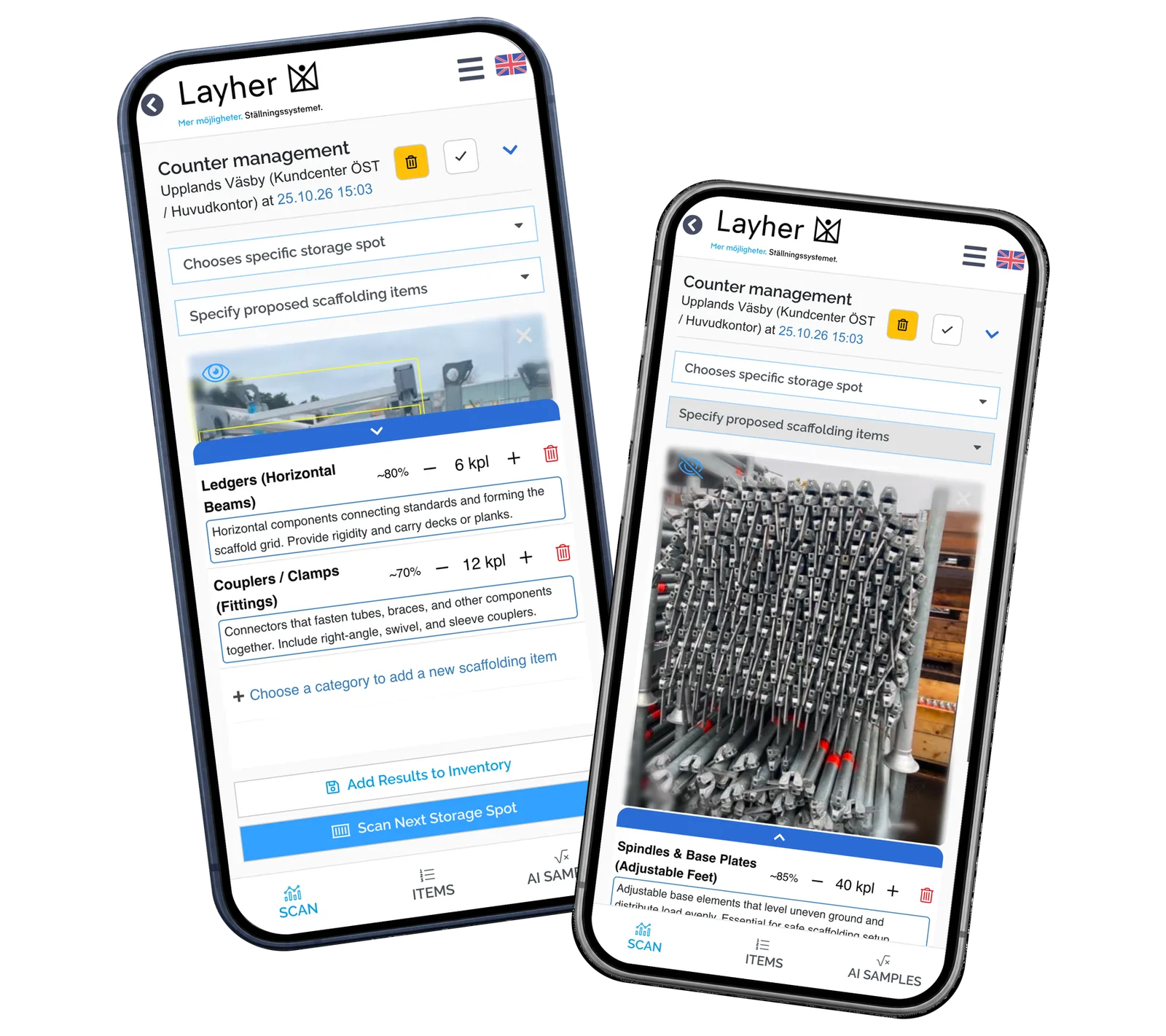
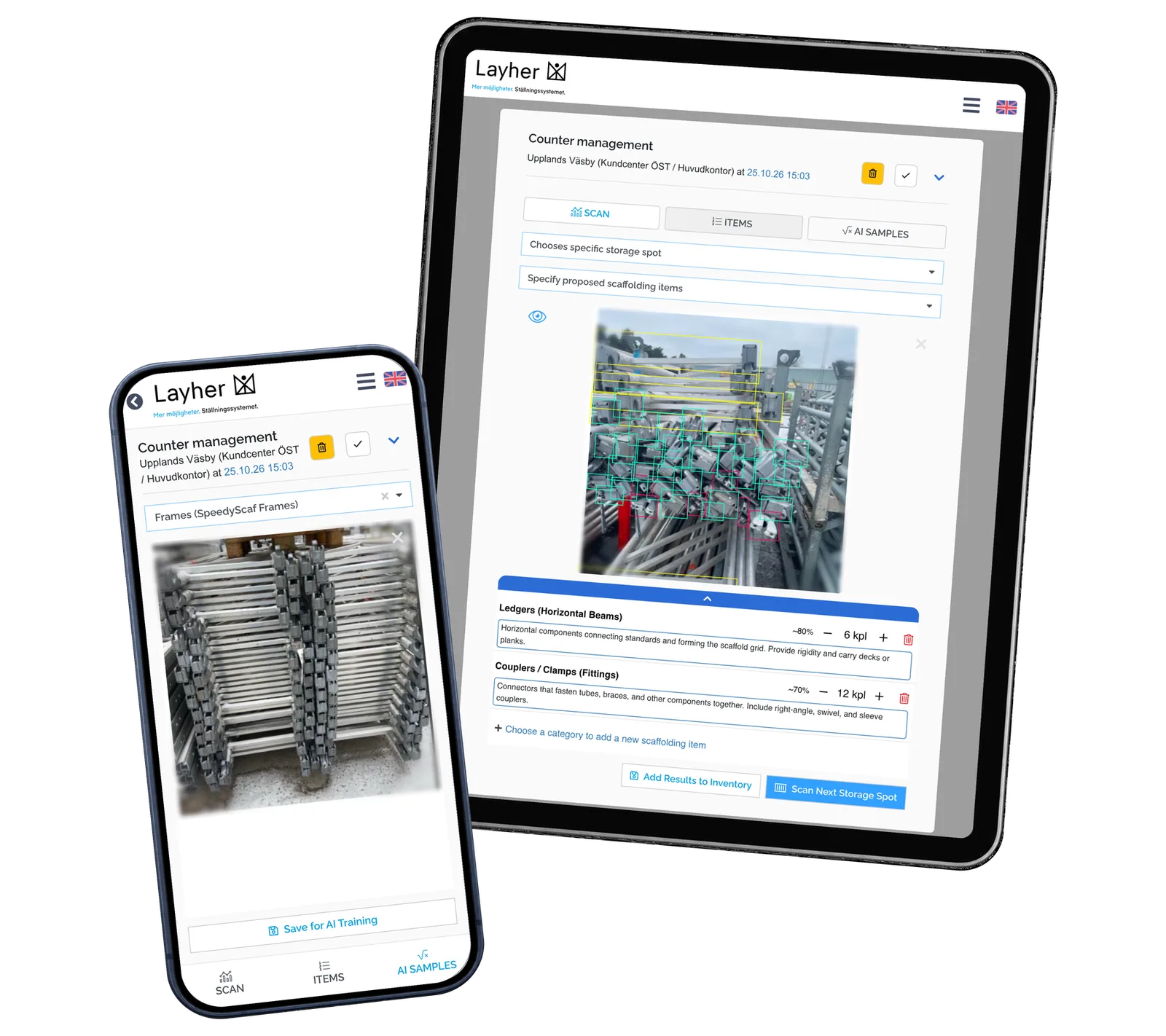
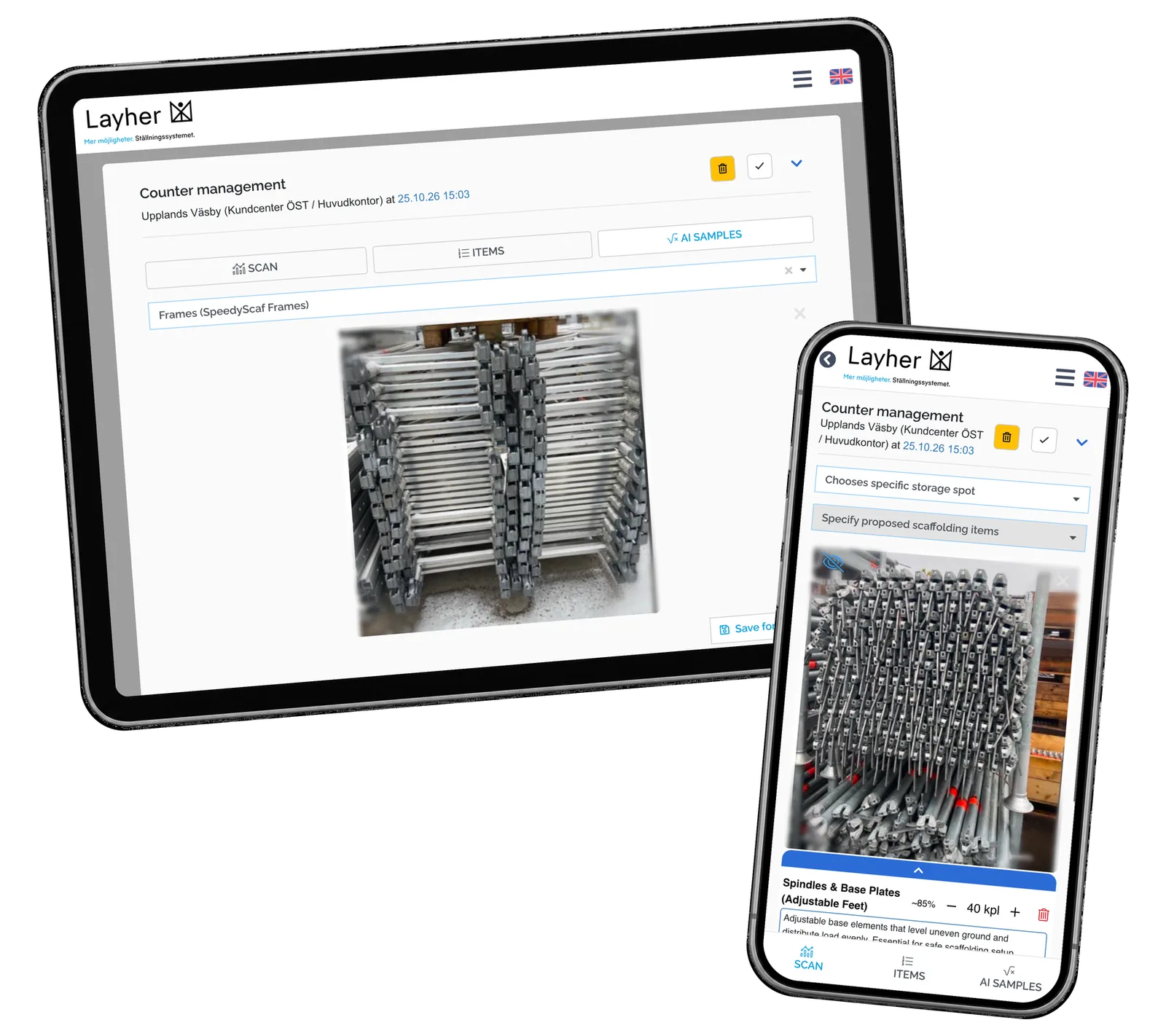
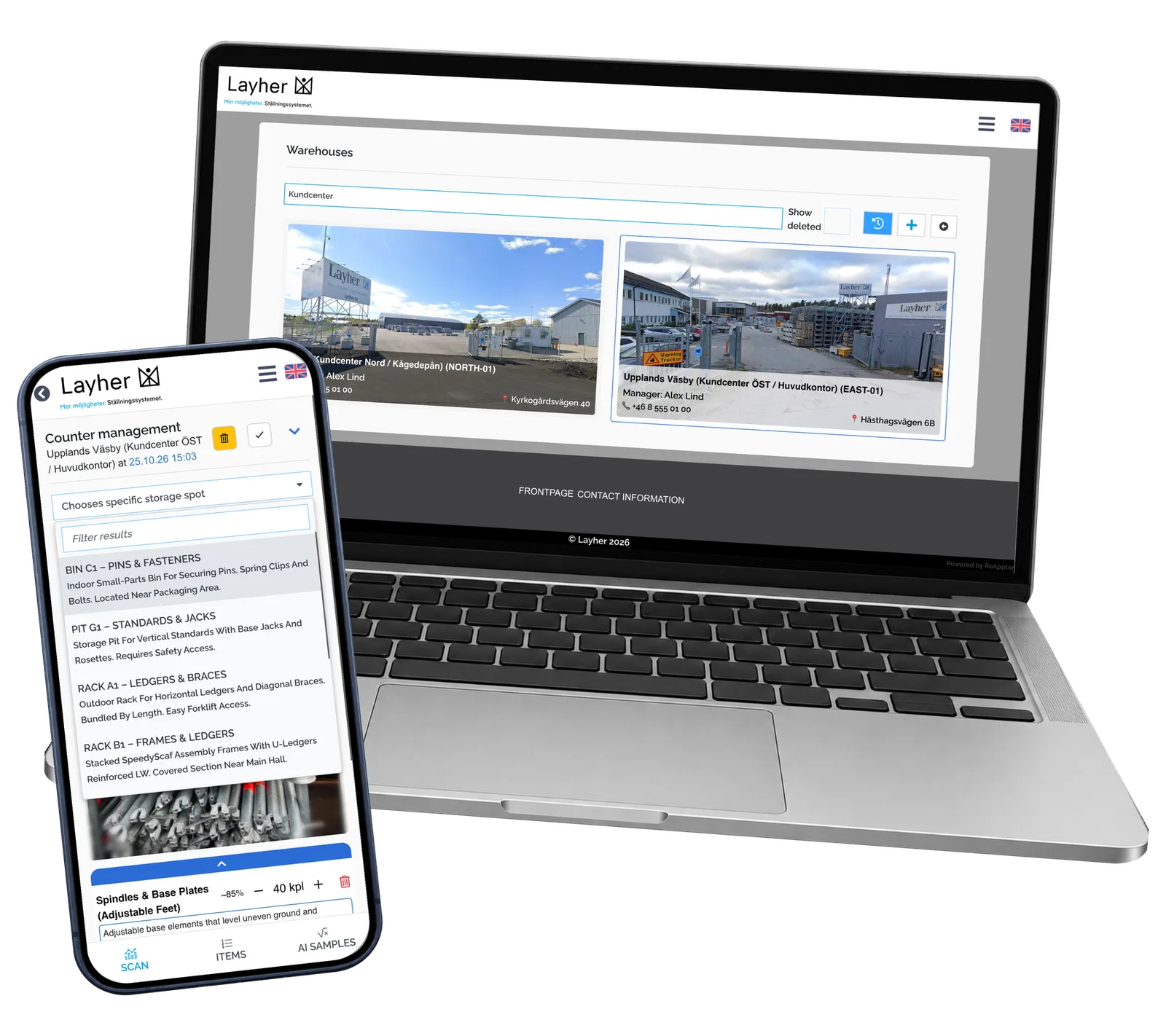
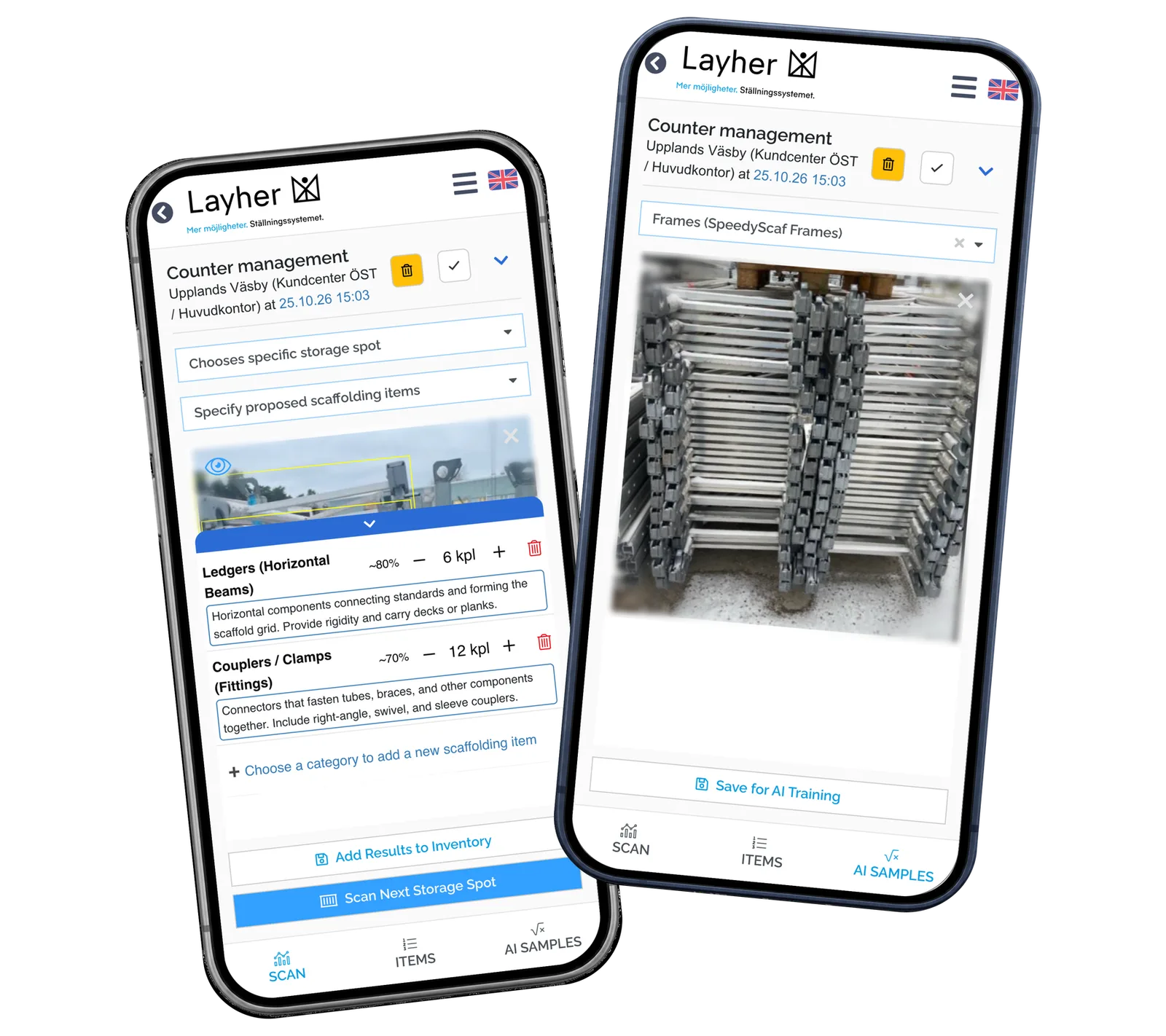
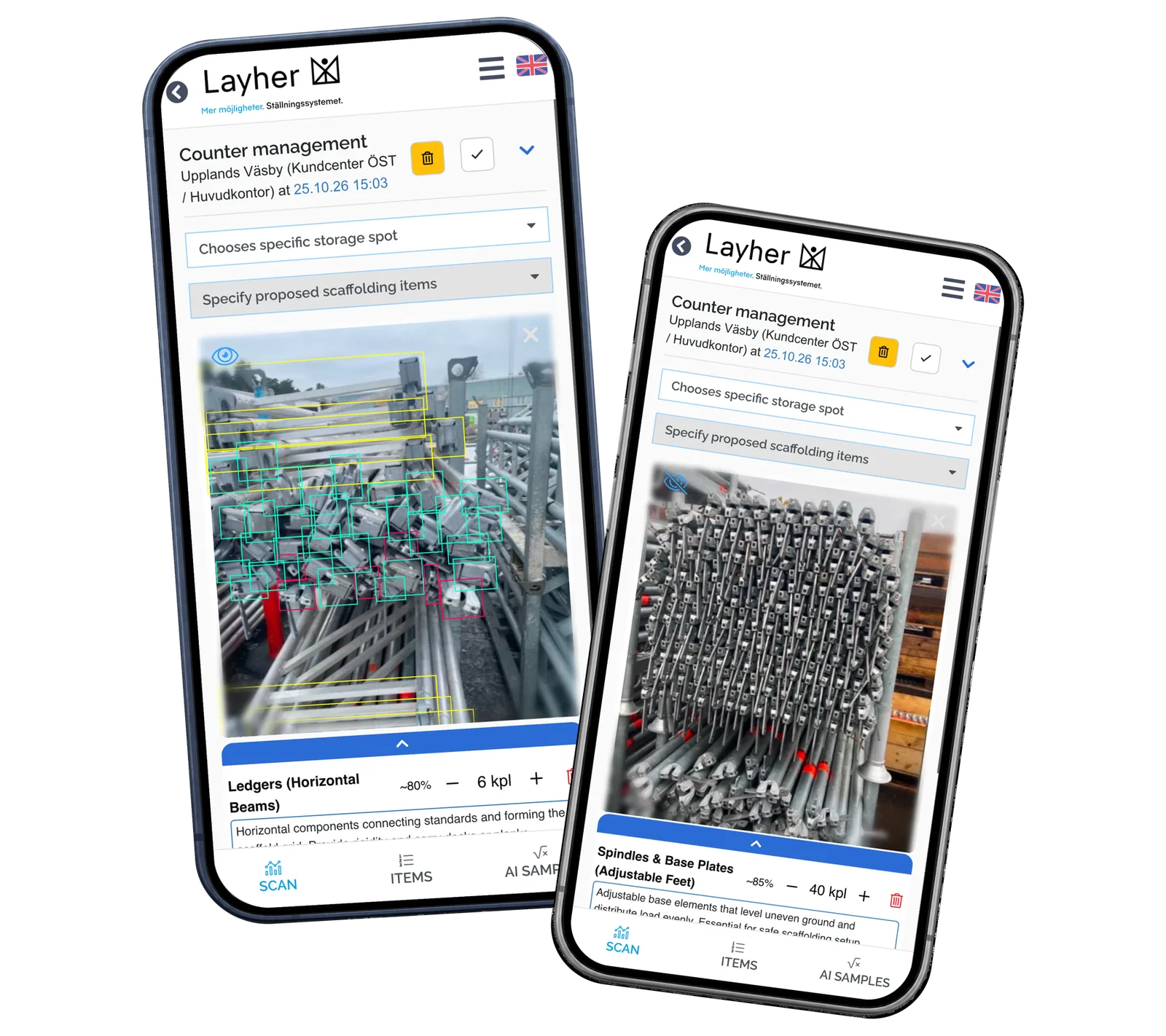
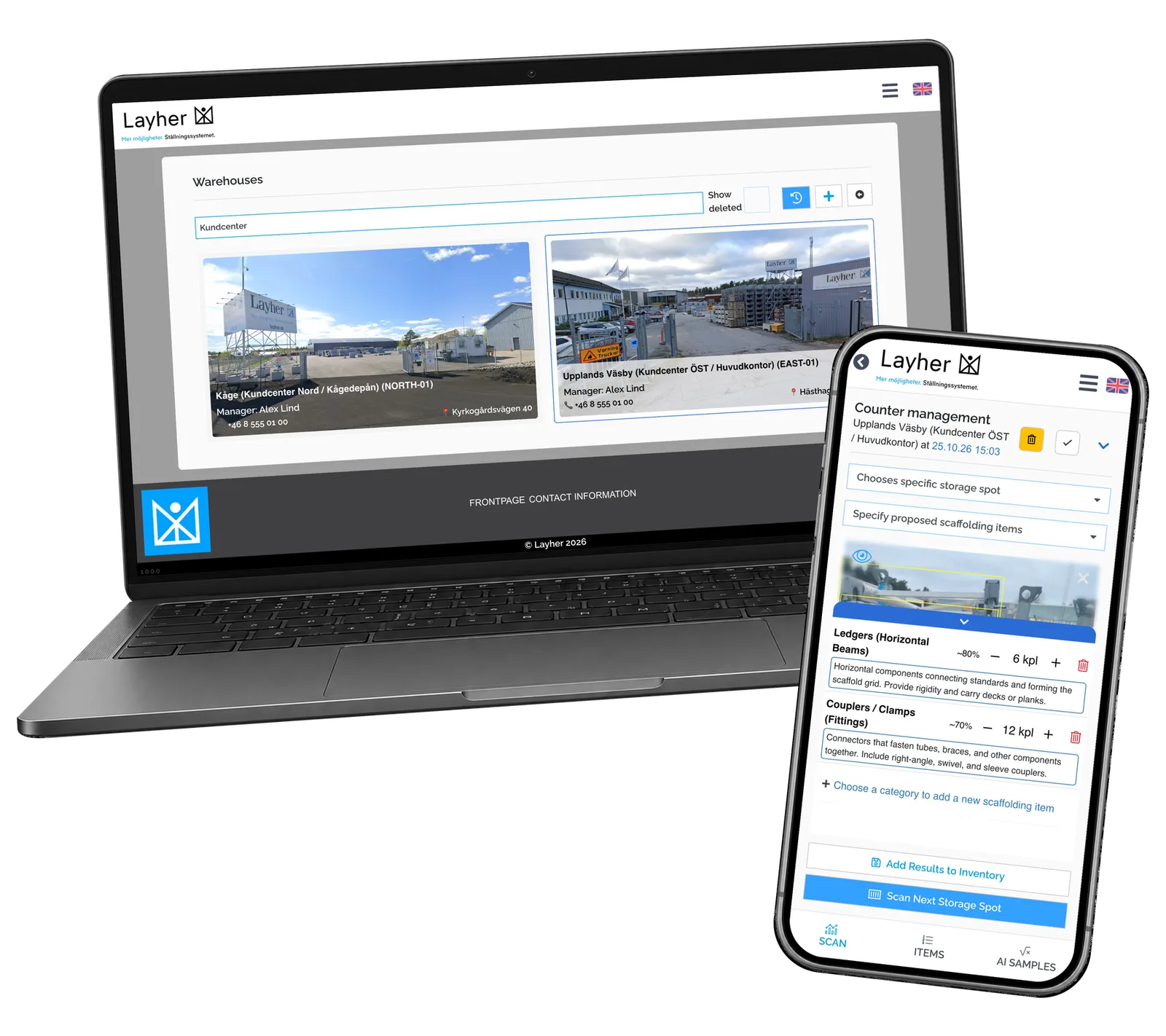
The operator selects a warehouse, starts an inventory session and chooses a named storage spot where relevant. The session can describe a customer return, an exhibition return, an annual inspection, incoming supply or a manual adjustment. A material photograph opens the counting workflow. Suggested categories and quantities can be checked, adjusted or removed before the result is saved with the photo. A separate sample view lets the team label representative photographs for later model development. The case shows the real prototype with prepared local records and saved recognition examples; it presents the workflow rather than an AI-accuracy benchmark.
Screenshots and media
Screenshots and media
Product capabilities
What customers and teams can do
Choose the counting context
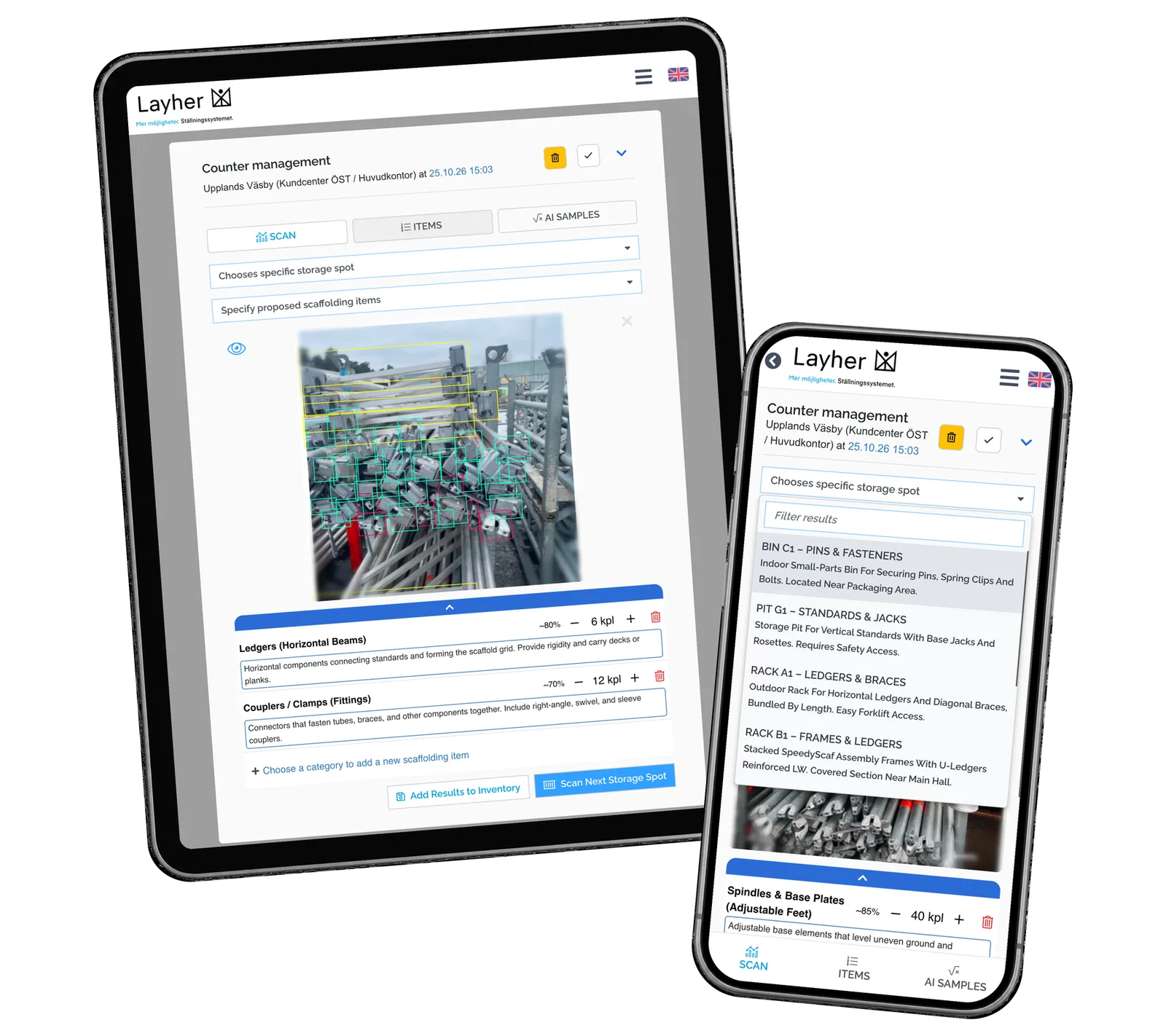
Warehouse and storage-spot selection give the count a clear context. Named racks and bins can carry expected material categories, helping the operator describe the area being checked. The inventory type and a short note explain why the session was started, while its date keeps the work identifiable. The photo remains part of that context.
Check before saving
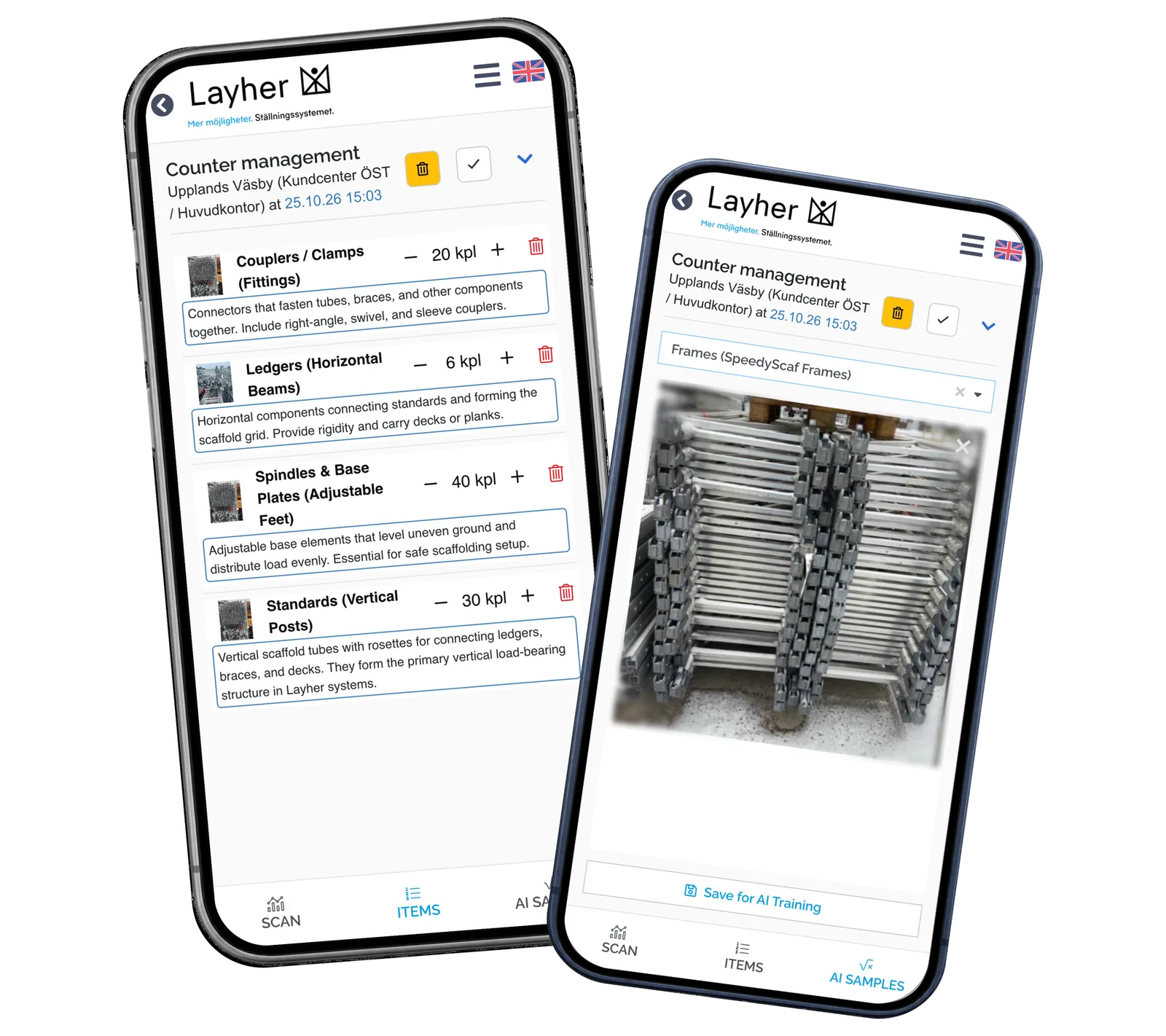
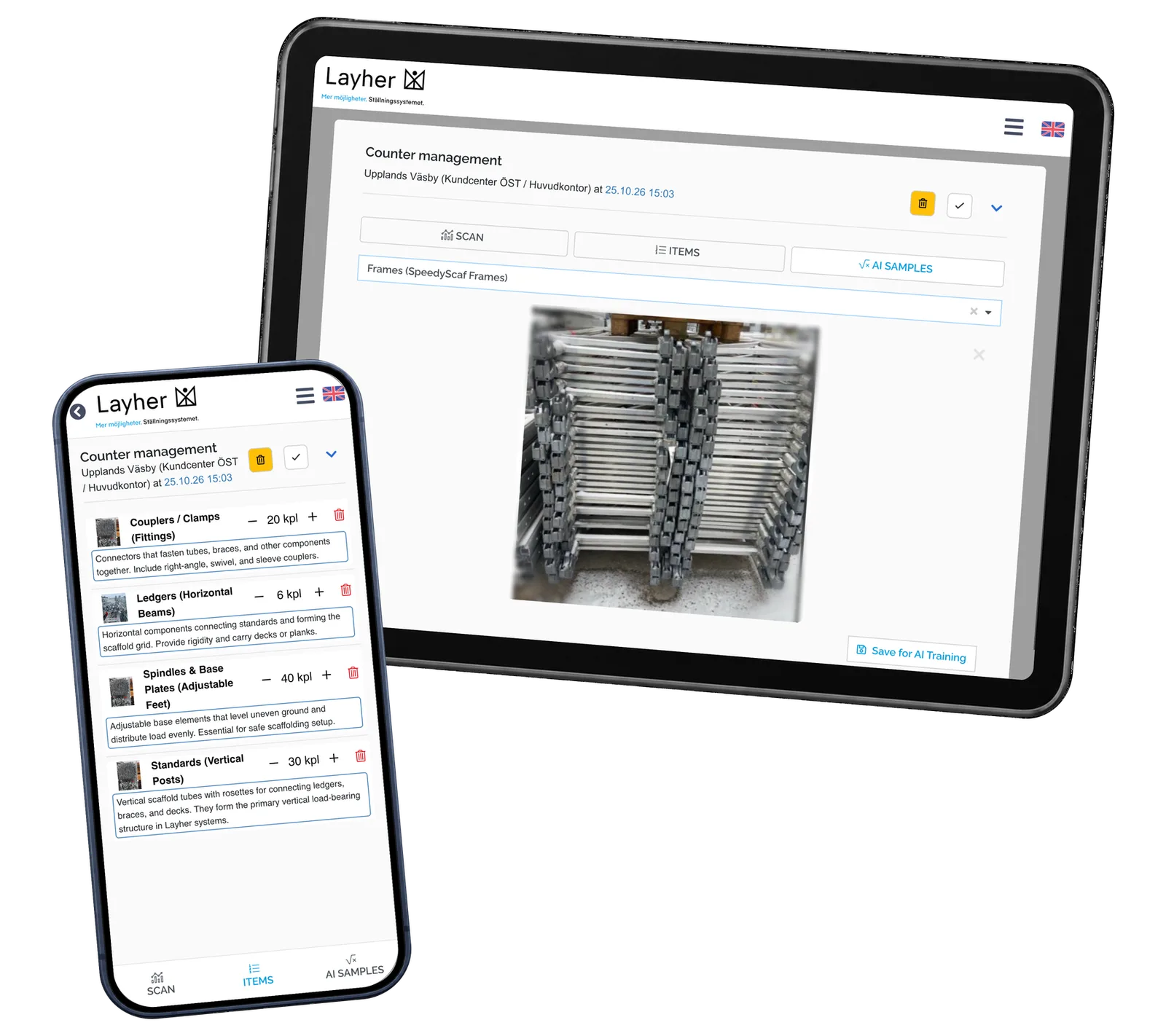
The photo stays available while the operator reviews the material lines. Category descriptions help distinguish similar parts, and quantities can be increased, reduced or removed. The saved record links the photo and reviewed lines to the session. The operator checks each suggestion against the visible material.
Collect useful photo examples
The sample view makes it possible to select the exact material categories and save a representative photograph. Different stacks, viewpoints and lighting can be documented through the same interface used for inventory. This creates categorized examples for later model development without presenting sample collection as automatic model training.
Reusable platform model
What ReApptor can reuse from this case
Photo-assisted material field work
Connect real photographs to a structured task and a reviewable result. Keep visual context close to the person doing the work, with product categories and recorded observations in the same workflow.
- Preserve the visual reference alongside the work record.
Ideal for
Teams counting, inspecting or documenting physical materials.
Human-reviewed AI suggestions
Put a clear review step between a model suggestion and a saved business record. Let the operator compare the image, understand the category and correct quantities before accepting the result.
- Keep the operator in control of the accepted result.
Ideal for
Operations where suggestions need an expert check.
Collecting categorized photo examples
Build sample collection into an interface with named categories and real photographs. Document material in its normal setting and preserve labels that can support a later development phase.
- Collect categorized examples through the working interface.
Ideal for
Teams preparing image examples for a defined recognition task.
Bring visual evidence into everyday inventory
Show us what your team counts, how materials are grouped and where a person needs to check the result. We can discuss a practical inventory interface around your locations, product categories and existing systems.
Discuss your inventory workflow